Overview
- Product:
Journeys (cross-channel marketing workflow tool)
- Role:
Lead Product Designer
- Scope:
End-to-end design for Scheduled Journeys
- Timeline:
Q4 2024 – Q2 2025 (extended due to technical complexity)
The Problem
Marketing teams relied on Journeys to orchestrate customer communications across email, SMS, and push. However, the system lacked a clear way to support continuous, event-driven campaigns—such as birthdays or lifecycle triggers—without creating confusion or operational overhead.
Users struggled to:
- Understand the difference between one-time vs ongoing campaigns
- Define audiences that update dynamically over time
- Manage complex segmentation without overwhelming setup flows
Impact:
- Increased setup friction for marketers
- Risk of over- or under-communicating with users
- Reduced confidence in campaign configuration
My Role
I led the design of Scheduled Journeys from concept to delivery, including:
- Defining the interaction model for continuous journeys
- Designing the creation and audience configuration flows
- Aligning with Product and Engineering across multiple systems
- Driving clarity in a technically complex, evolving space
Approach
1. Establishing a Clear Mental Model
The first challenge was conceptual:
Users needed to clearly understand how Scheduled Journeys differ from one-time journeys.
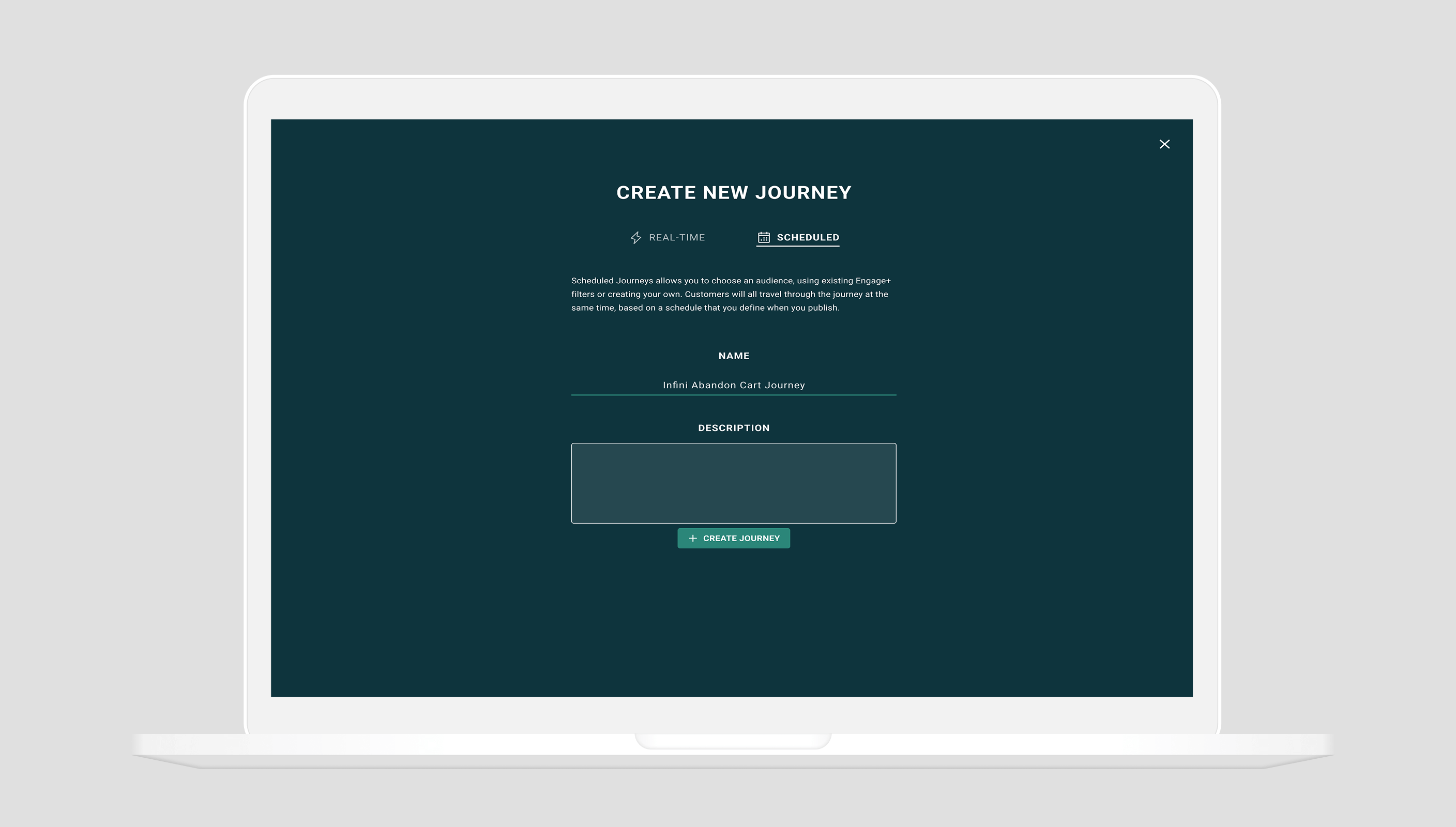
I introduced a distinct entry point via a New Journey Wizard, guiding users to:
- Choose between one-time and scheduled journeys
- Understand how audiences behave over time
- Configure event-based triggers upfront
Why this mattered: Without a strong mental model, downstream configuration becomes error-prone and confusing.
2. Simplifying Audience Creation
Scheduled Journeys required dynamic audiences that continuously update.
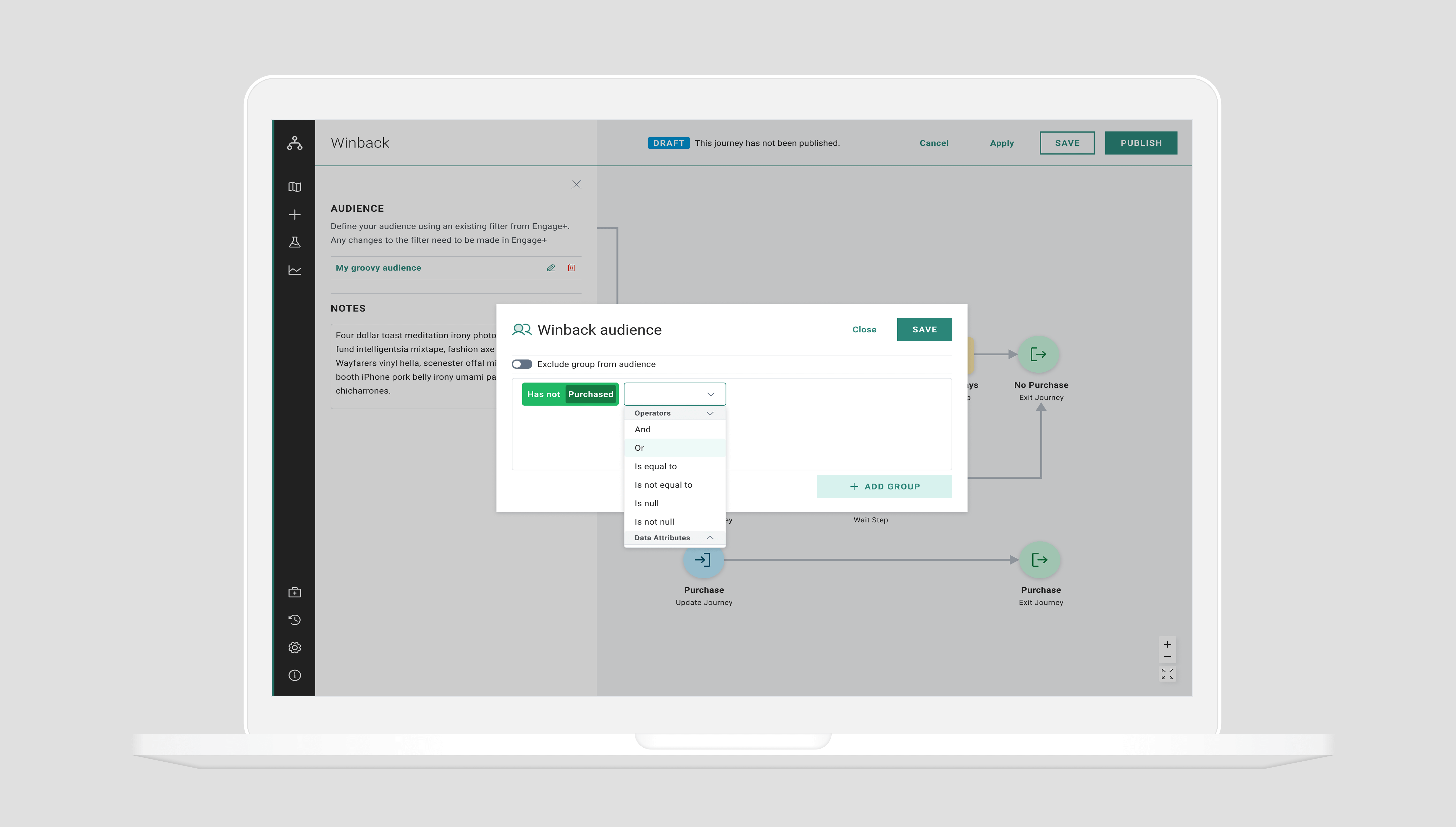
I designed a flexible system that allowed users to:
- Define audiences broadly (e.g., new users in North America)
- Refine them with precise filters (e.g., March birthdays in California)
- Trigger journeys based on real-time events (e.g., profile creation)
To reduce cognitive load, I:
- Structured the flow step-by-step
- Reused familiar patterns where possible
- Introduced progressive disclosure for advanced segmentation
3. Designing for Branching Logic
To support more advanced use cases, I designed an audience split step, enabling:
- Conditional branching within journeys
- Different messaging paths based on user attributes
This extended the initial audience logic into a scalable system for personalization.
4. Leveraging Existing Systems
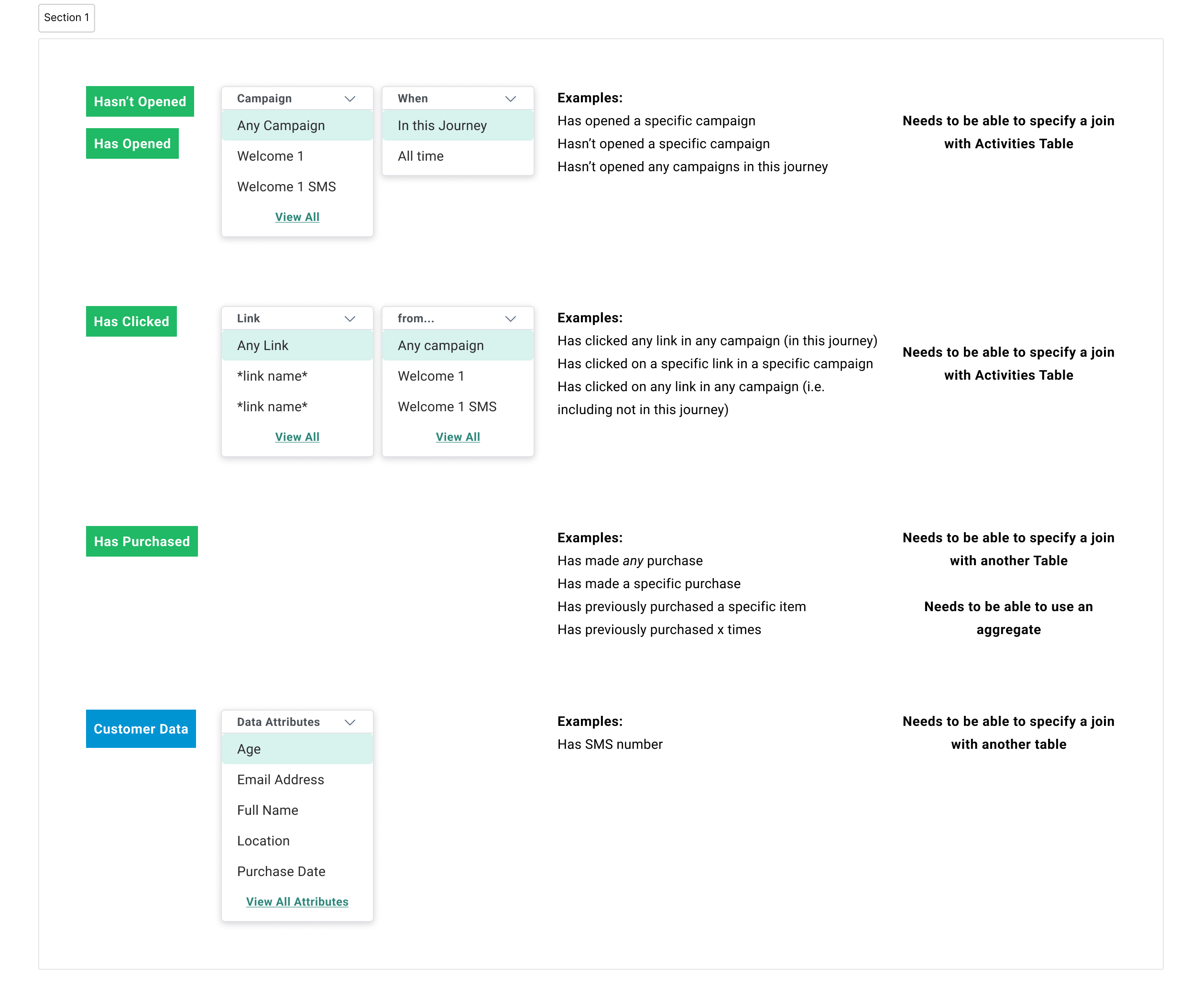
Rather than reinventing filtering logic, I incorporated an existing cross-product filter system.
Tradeoff:
- ✅ Faster implementation and consistency across tools
- ⚠️ Less flexibility in tailoring the experience specifically for journeys
This required careful adaptation to ensure usability within a new context.
Challenge
Misalignment Between UX and Technical Constraints
As the project progressed, significant technical challenges emerged:
- Real-time audience updates introduced system complexity
- Dependencies across multiple products impacted feasibility
- Engineering began proposing solutions that prioritized implementation over usability
This created tension between:
- What was ideal for users
- What was feasible within system constraints
Outcome
- Delivered a foundational model for continuous, event-driven journeys
- Established clearer differentiation between static vs dynamic campaigns
- Informed cross-team understanding of how Scheduled Journeys should function
While the launch timeline extended due to technical complexity, the design work:
- Created a shared framework for future iterations
- Highlighted key system-level considerations for scaling the product
Key Learnings
1. Align on System Behavior Early
In complex products, the biggest UX risk isn’t UI—it’s unclear system logic.
Establishing how the system behaves over time (e.g., how users enter and move through journeys) is critical before refining interface details.
2. Advocate for the User in Technical Conversations
When constraints emerge, UX can quickly become reactive.
I learned the importance of:
- Anchoring discussions in user clarity
- Using prototypes and flows to guide alignment
- Confidently pushing back when usability is at risk
3. Design is a Leadership Function at Senior Level
This project reinforced that senior designers must:
- Drive alignment across disciplines
- Navigate ambiguity and competing priorities
- Maintain a clear vision, even under constraints
Reflection
If I were to approach this again, I would:
- Push earlier for alignment on the interaction model before UI exploration
- Facilitate more structured collaboration between Product and Engineering
- Use high-fidelity prototypes sooner to reduce ambiguity